
Today, we will talk about rounding in Excel.
This task is quite easy as we have proper functions, however we have to understand how the rounding works in Excel.
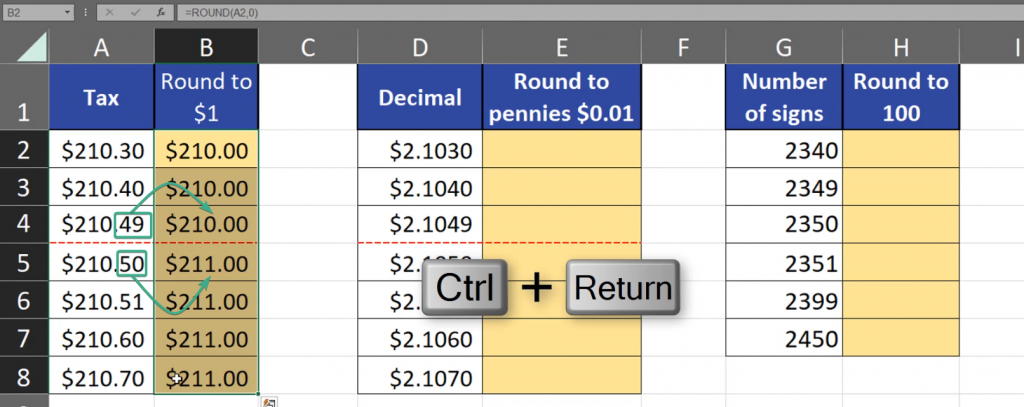
The most important thing is the most significant digit. When we round to whole numbers, e.g. to a dollar, the most significant number is the first digit after dot. If this number is 4 or less, the rounding goes down. However, if the number is 5 or more, the rounding goes up. If we remember this, we can start rounding in Excel (Fig. 1)

Now, we can use the ROUND function, give it a number and write the number of digits we want to round up. Since we want to round to whole numbers, we have to write 0 (Fig. 2)
=ROUND(A2,0)

And just like that we have rounded to whole dollars. We can see that in the case of 49 cents, we are going down, and in the case of 50 cents, we are going up. And from 5 to the end of the list, we are only going up, as we have passed the halfway threshold (Fig. 3)
If we want to round to pennies, the situation is almost the same. However, in the case of rounding to whole dollars, the most significant number was the first one after dot, and in this case, the most significant digit is the third one. If the digit is 5 or greater, it will go up by a penny. Let’s use the ROUND function again, give it a number, but now we have to write 2 in the place of the number of digits. As we know, a penny is one hundredth of a dollar, which means that it’s two digits after dot (Fig. 4)
=ROUND(D2,2)
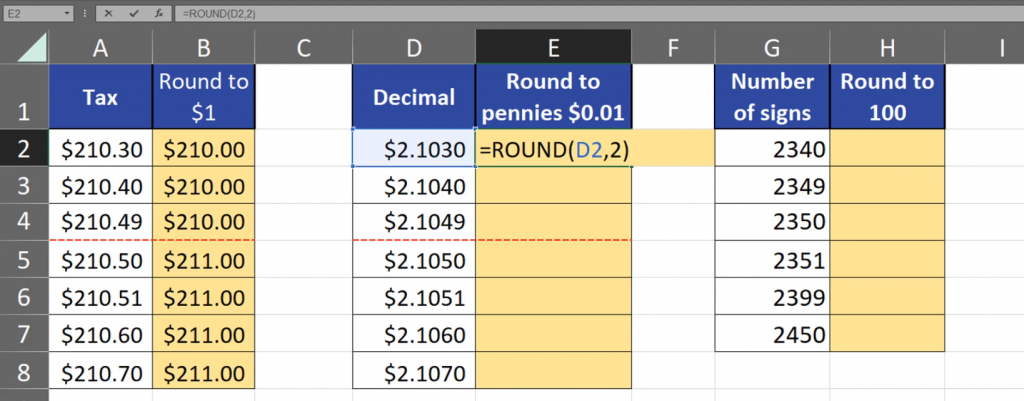
And just like that, we have rounded numbers to pennies. We can see that when we passed the halfway threshold, we started rounding up (Fig. 5)

In Excel, we can round even to bigger multiplications of ten, e.g. one hundred. In this case, the second number is the most significant one. We have to remember that when rounding to one hundred or any bigger, whole numbers, we have to write the number of digits as negative. Since we are rounding to one hundred, we have to write ‑2, as there are two 0s, or two digits to the left from 1. When we go to the right from the dot, as it was in previous examples, we have to write a positive number, and when we go to the left, we write a negative number (Fig. 6)
=ROUND(G2,-2)
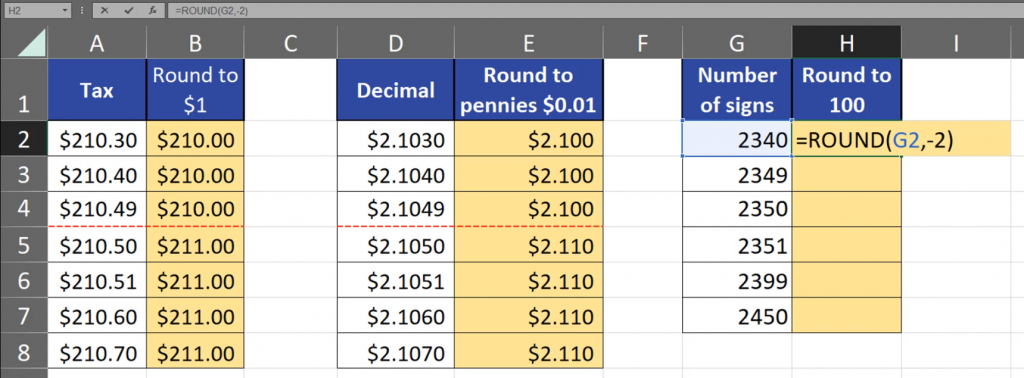
As we can see, when we went halfway, i.e. 50, we rounded up (Fig. 7)
