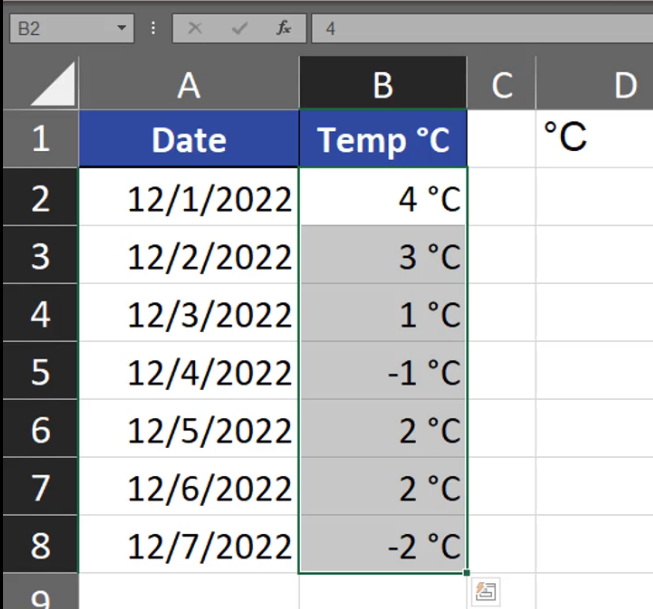
Sometimes, we want to add a degree sign to numbers. How can we do it?
Let’s say we want to show temperature in degrees Celsius or Fahrenheit. The first thing we want to do is inserting the correct sign. We can either copy it from the internet or we can choose the Symbol command from the Insert tab (Fig. 1).
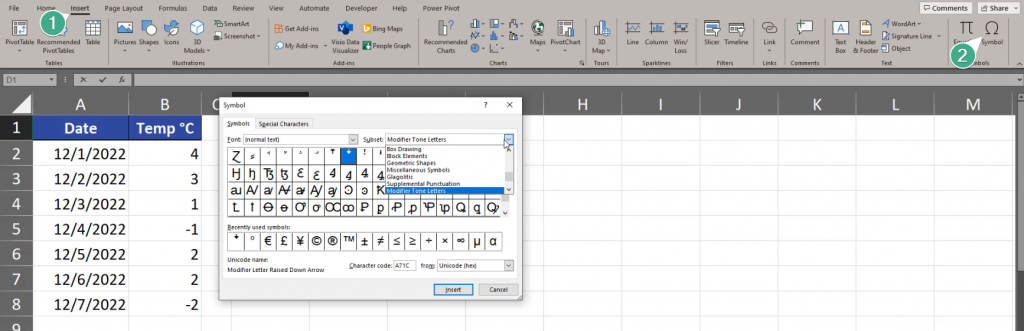
In the Symbol window that appears, we’re choosing the Latin‑1 Subset (1), then the Degree Sign, whose name we can see at the bottom of this window. We click the Insert and Close buttons (Fig. 2).

We can see the Degree Sign in cell D1. After adding C, we have the full symbol. Now, we can copy the symbol in the edit mode, then select all cells with numbers to which we want to add the sign. Then, we press the Ctrl + 1 shortcut. In the Format Cells window we’re choosing the Custom Category, then we’re choosing 0 and we can paste the °C sign. In the Sample bar we can preview what our final text will look like in the end. If we want to make sure that our text will be show as a text in the end, we can write it in double quotes. In this case, it’s a bulletproof solution (Fig. 4).

And we have our signs correctly inserted (Fig. 5).